A closer look
Repeating shifts.
Planned client visits.
Use Shift Worker for a repeating roster or Field Worker for ordered client visits. Both include a calendar and a Today view.
Shift Worker
Set a rotation.
Adjust individual days.
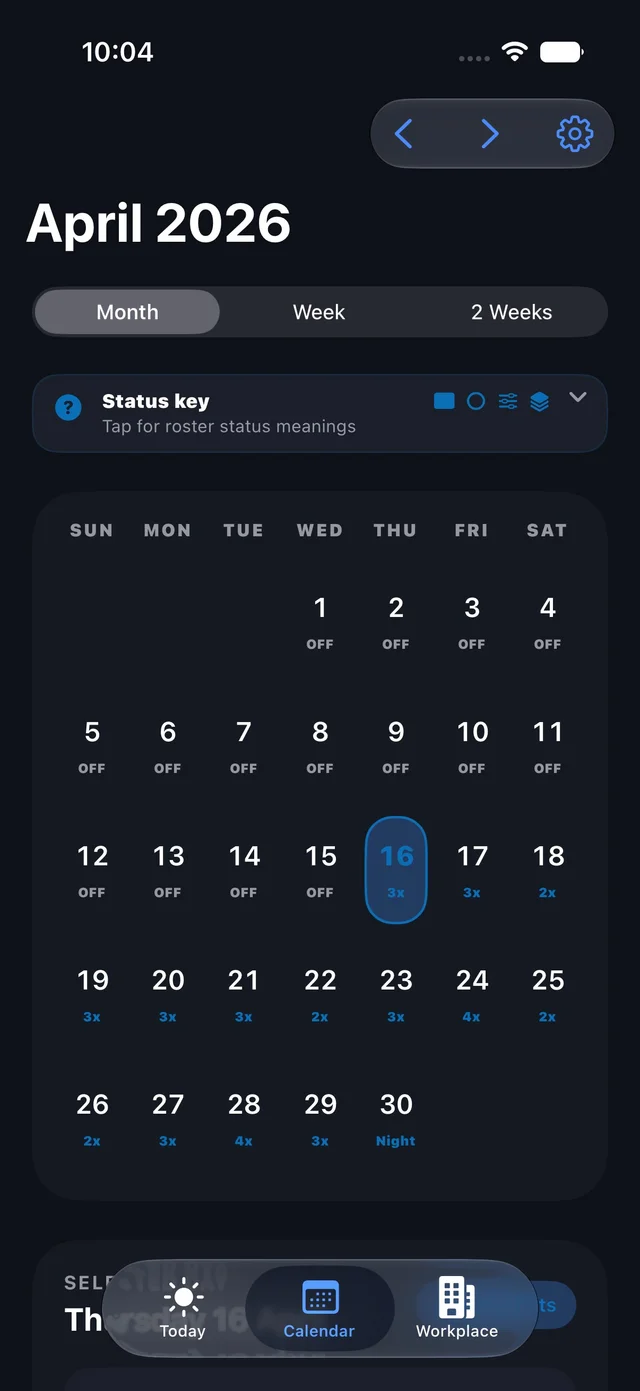
Set up your workplace, shift types and repeating pattern. See how they fall across the week, fortnight or month, then adjust individual days when plans change.
- Day, night and overnight shifts in a repeating rotation.
- One-off edits without rebuilding the whole pattern.
- Upcoming shifts, leave guidance and attendance in Today.
- Optional Apple Calendar sync to a calendar you choose.

Field Worker
Plan the order
of your visits.
Keep your clients, visit durations and appointment windows together. Follow your planned visit order and mark each stop complete as you go.
- A client directory with visit details and private notes.
- Travel buffers between visits, with optional Maps estimates.
- Today's next stop, directions and completion progress.
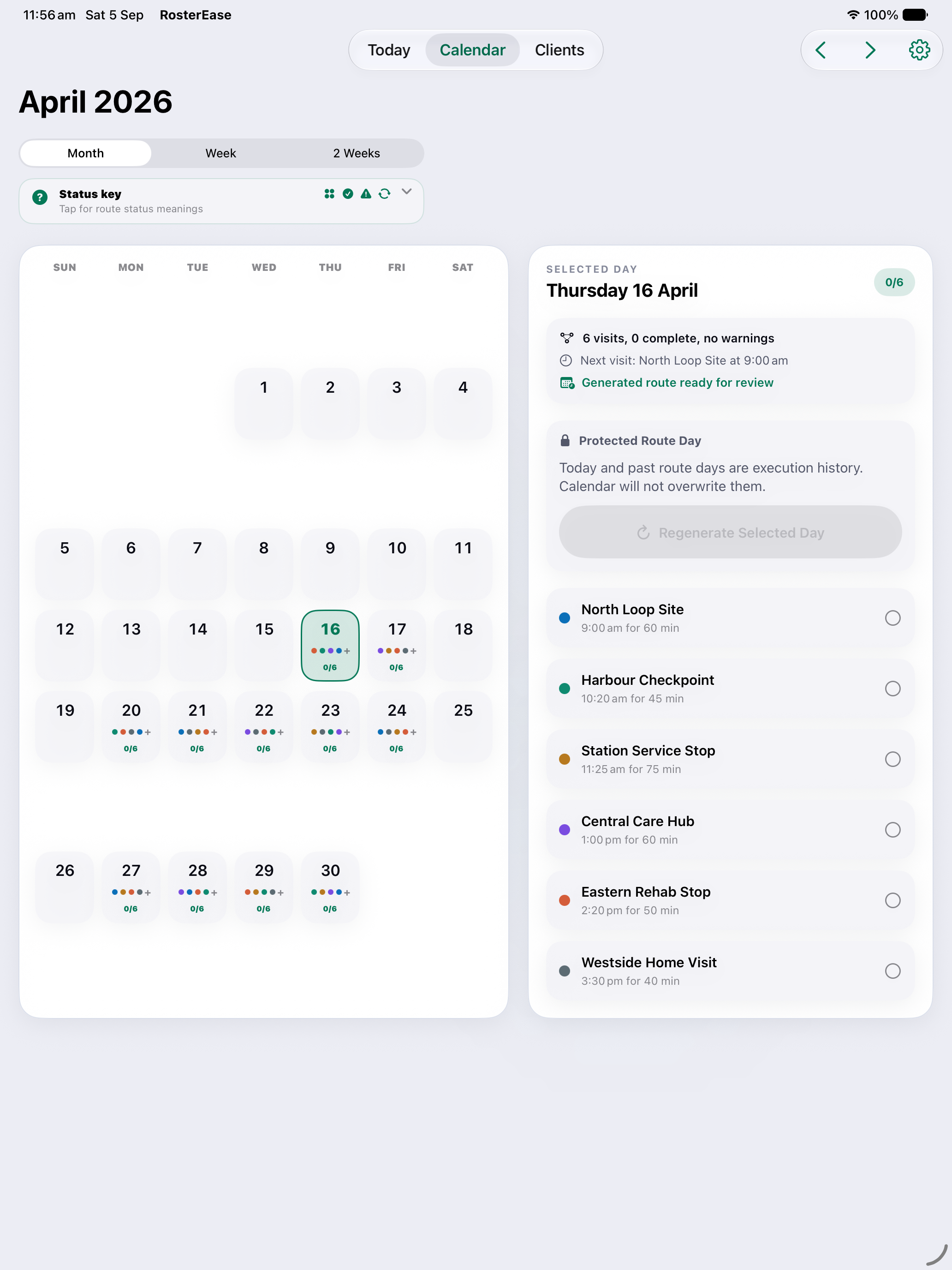
- A calendar for looking ahead at your route days.
You control the visit order. RosterEase does not automatically optimise routes or replace a clinical record or employer scheduling system.
Set up your visits →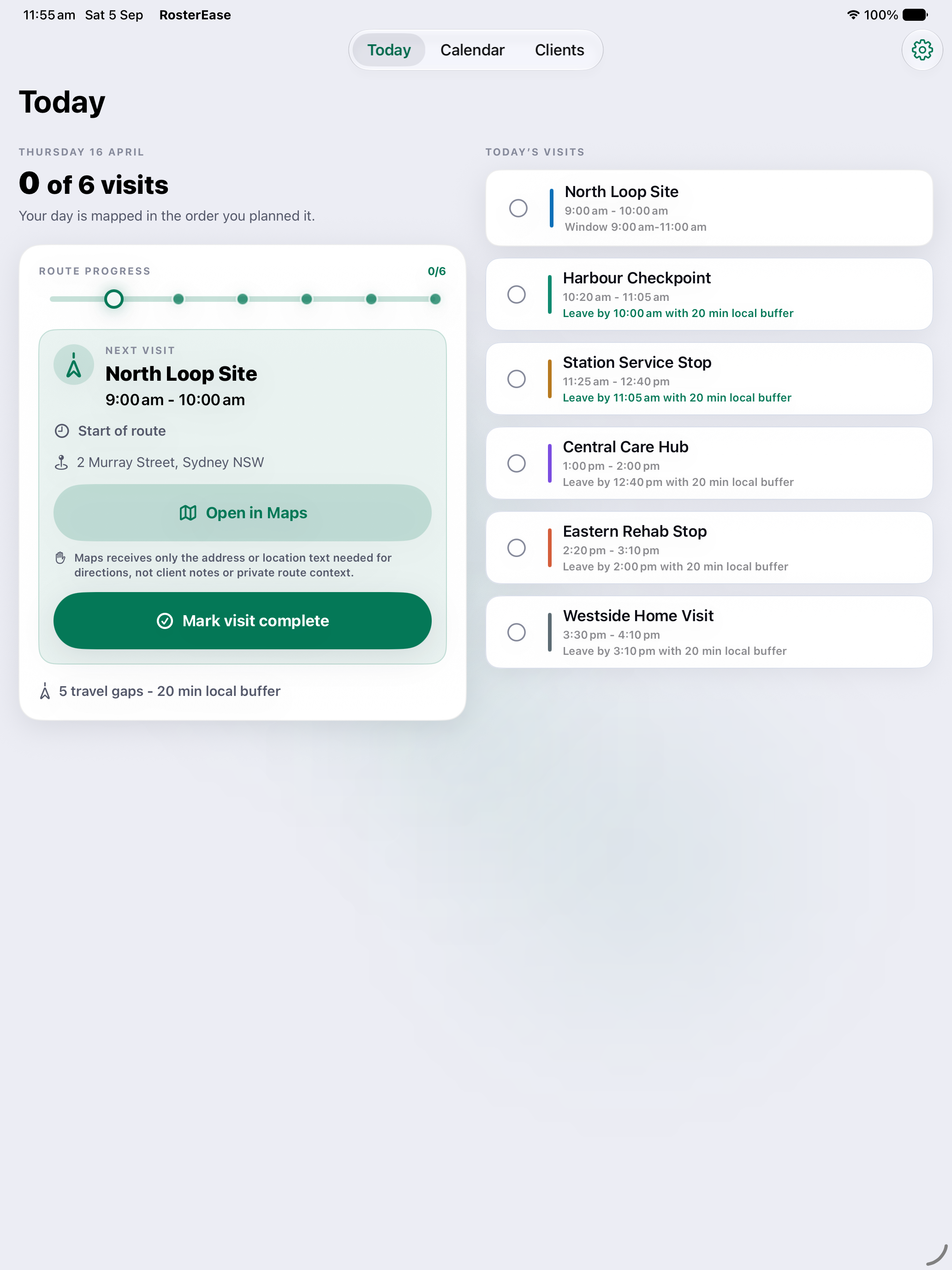
Less retyping
Import a roster
or client list.
Smart Import reads supported text, images and PDFs on your device. Review the extracted shifts or clients, correct issues and decide what to apply.
Shift imports build repeating patterns. Dated source material needs review and explicit conversion; split shifts and multiple workplaces in one import are not supported.
Understand Smart Import →Around your day
Check your next shift or visit.
Check Today on your phone, look further ahead on iPad, or use a widget for a quick view. Leave guidance helps you plan around travel and buffers.
Guidance is a planning aid. Check your source roster, appointment details and current travel conditions when timing matters.
Calendar, Maps and privacy choices →On-device processing
Import without
a cloud AI service.
No RosterEase account is required. Import extraction and parsing run on your device, without uploading roster or client contents to a cloud AI service. The app does not use advertising or analytics.
Shift Worker Calendar sync is optional. Private shift notes are excluded from Calendar events unless you enable them. Maps receives address or location text, not client names or private notes.
See what stays local and what is shared →Keep a copy
A backup you control.
Create a passphrase-protected, encrypted backup when you choose. Save the file through Apple's system picker and choose when to restore it.
There is no automatic RosterEase cloud sync. A storage provider you select, such as iCloud Drive, handles your exported file under its own terms.
Back up and restore safely →Free & RosterEase Plus
One workplace, included.
More when you need them.
Free includes one full Shift Worker workplace, with its roster, Calendar, widget and backup features. Plus adds the ability to create, import or restore multiple Shift Worker workplaces.
Monthly and Annual unlock the same Plus features and differ by billing period. Check the in-app offer for your local price and any eligibility conditions. This capacity limit applies to Shift Worker workplaces.
Subscriptions and Terms of Use →Try the beta
Test RosterEase
with your schedule.
RosterEase is available for testing through TestFlight, ahead of its App Store release. Beta features and access can differ from the final release.
These screenshots show development builds with fictional data. Your TestFlight build may look or behave differently as testing progresses.
Join TestFlight ↗