Skip to content
RosterEase

RosterEase for iPhone

Know what shift is next without digging through the roster.

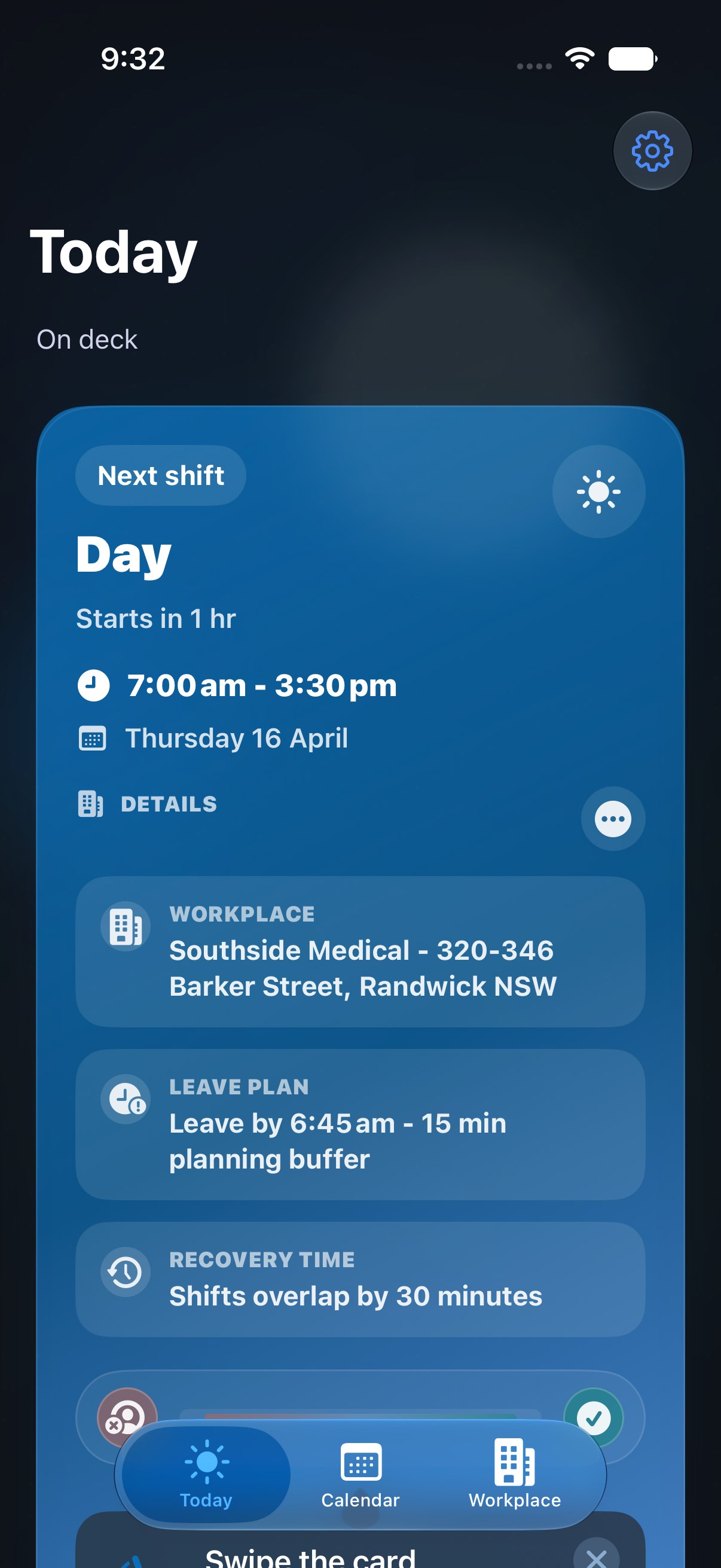
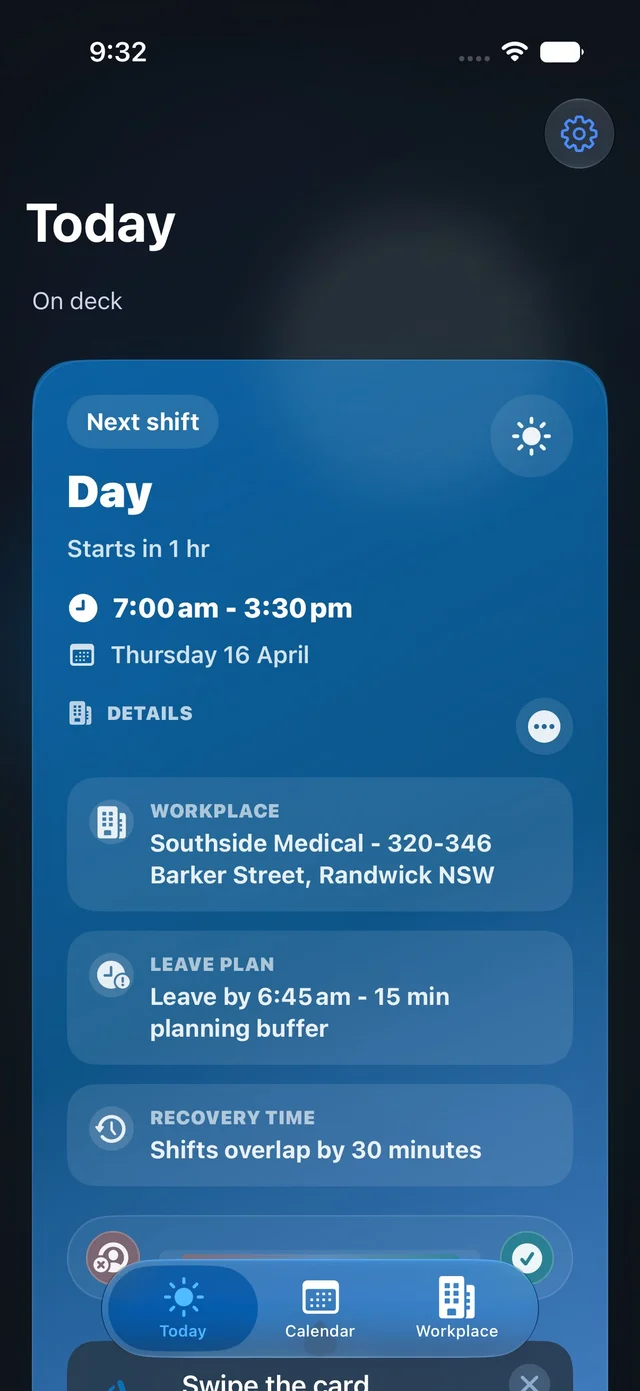
RosterEase is built around the Today screen: the next shift, the workplace, and the next few days all land in one calm view the moment the app opens.

Built for shift workers who need today to be obvious before they think about anything else.

Today view

The next shift card, workplace, and upcoming days stay visible together so the app does the first bit of thinking for you.

RosterEase Today view showing the next shift card, workplace, and upcoming shifts.
Now in TestFlight

Try RosterEase before it hits the App Store.

Currently testing with a small group of shift workers in Australia. Join the TestFlight beta to try it early and shape what ships.

01

Opening view

Start with what matters today.

The hero already centers Today. Here it sits as the anchor for the rest of the app: one calm screen that tells you what shift is next before you think about setup or planning.

Today

See the next shift straight away

The Today screen keeps the next shift, workplace, and upcoming days together so the day is understandable the moment the app opens.

  • Shows the next shift, workplace, and nearby days on one screen.
  • Best when you need to know what is coming up right now, not browse the whole month.
RosterEase Today view showing the next shift card, workplace, and upcoming shifts.
02

Building the roster

Build the repeating cycle once, then check it before saving.

Setup stays split into two quiet steps: define the repeating pattern, then check the generated roster before it becomes the live schedule.

Setup flow

Pattern builder and review work as a pair.

One screen defines the structure of the roster. The next screen makes sure the generated result looks right before you commit to it.

  1. 01

    Pattern builder

    Set the cycle length, anchor date, and repeating shift sequence that the roster should generate from.

  2. 02

    Review

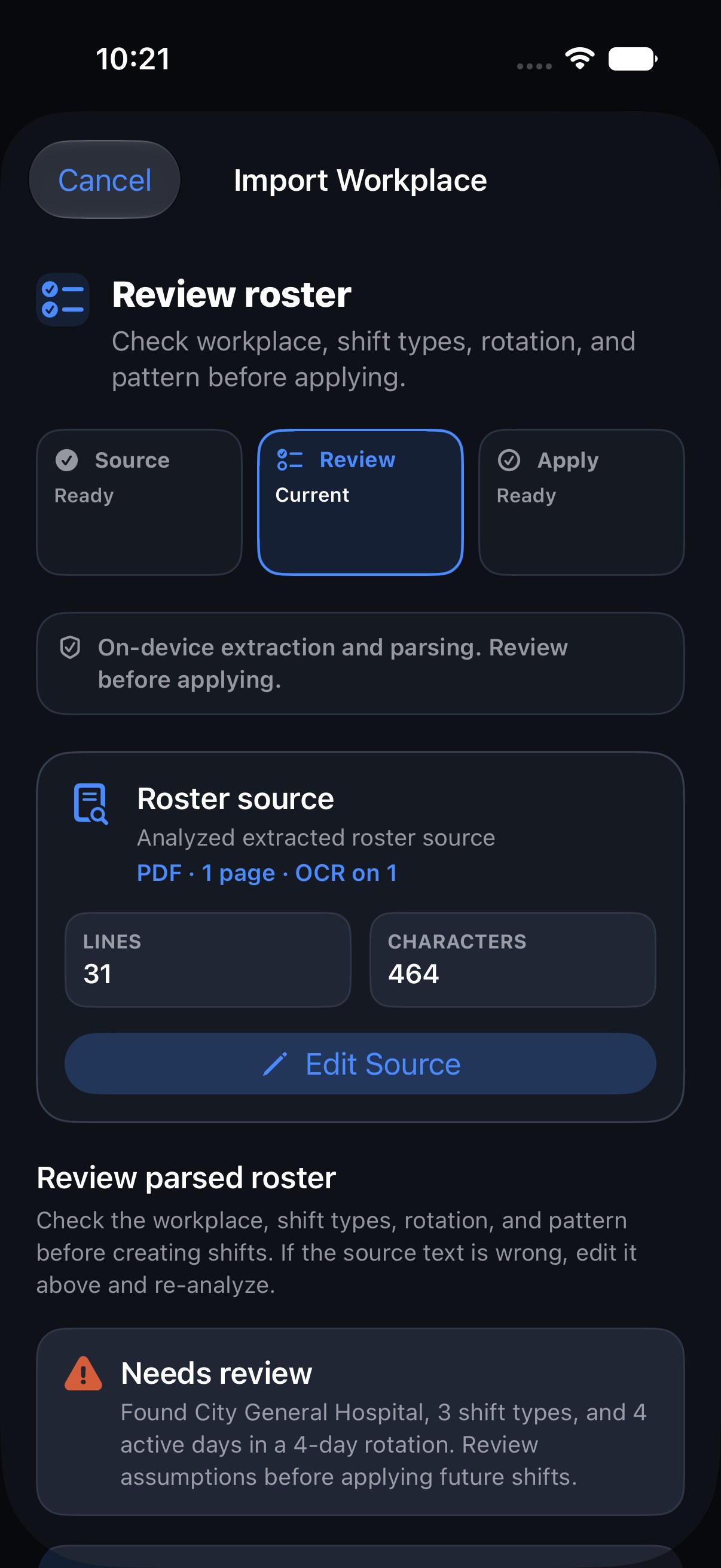
    Check the hours, the rotation summary, and the generated schedule before it becomes the live roster.

RosterEase pattern builder showing cycle length, anchor date, and assigned shifts.
RosterEase onboarding review screen showing pattern summary, average weekly hours, and a schedule preview.
03

Planning and changes

Read ahead over the month, then fix the day that changed.

Once the roster exists, the rest of the app helps you read ahead, keep workplaces separated, and edit one-off changes without touching the whole rotation.

Calendar

Read the month as a pattern

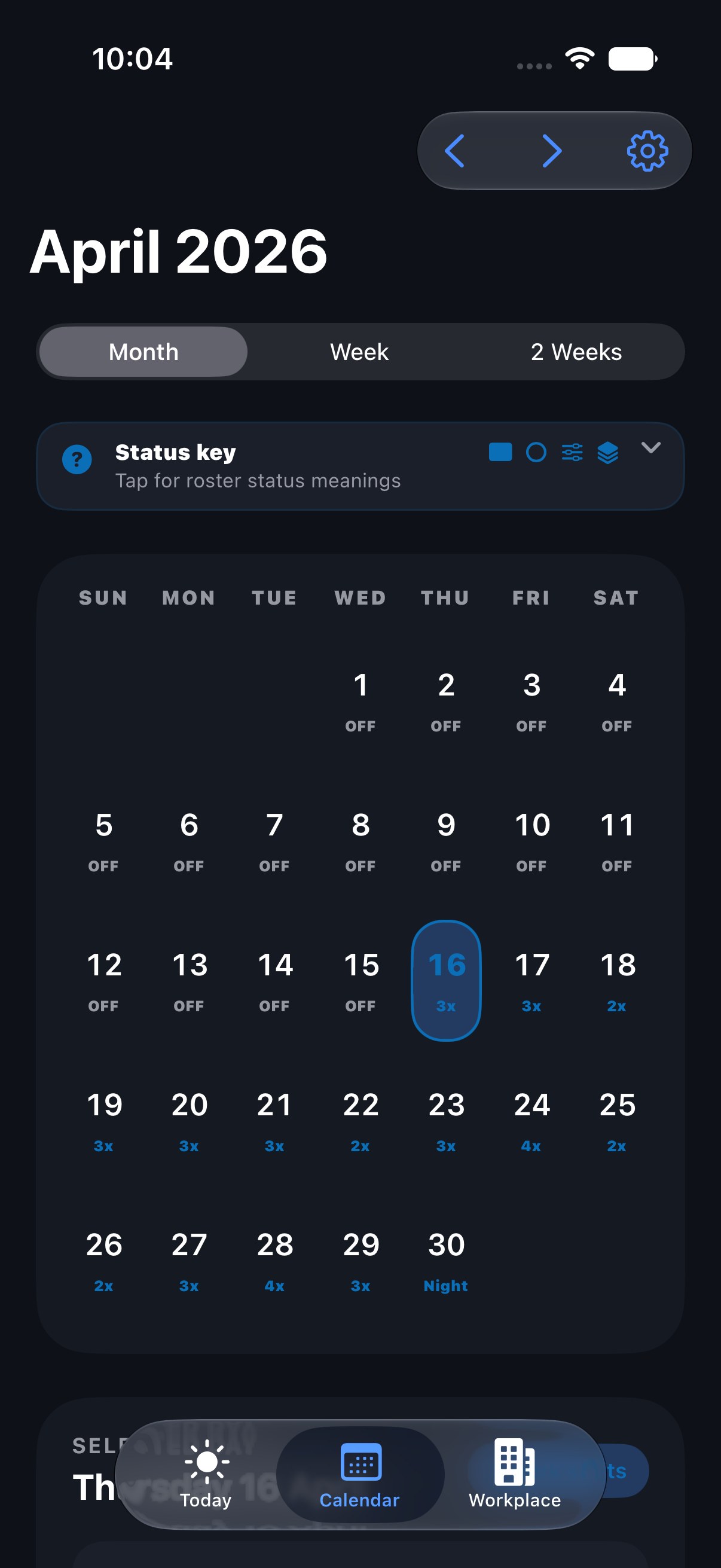
Calendar keeps runs of shifts, leave, and changeovers visible instead of compressing the roster into tiny labels.

  • Makes active weeks and upcoming runs easier to scan at a glance.
  • Useful when you need to plan further ahead than the next shift.
RosterEase calendar view showing a month of color-coded shifts.
RosterEase workplaces view showing multiple workplace cards and sync status.

Workplaces

Keep multiple roster sources organised

Workplaces separate different roster sources and sync settings without losing the overall picture of your schedule.

RosterEase edit shift screen showing a one-off shift exception with date, workplace, shift type, and times.

Exceptions

Handle one-off changes cleanly

Change one date, one workplace, or one shift time without rebuilding the whole recurring pattern around it.

Support

Need help with the app or a roster import?

Support is handled by email. Reach out any time and you'll get a real reply.